Edit Existing Schedules
In the Administrator module, you can modify existing schedules in Xsponse to adapt to changing needs. Editing a schedule allows you to adjust details such as the name, description, repeat frequency, and timings.
To Edit an Existing Schedule
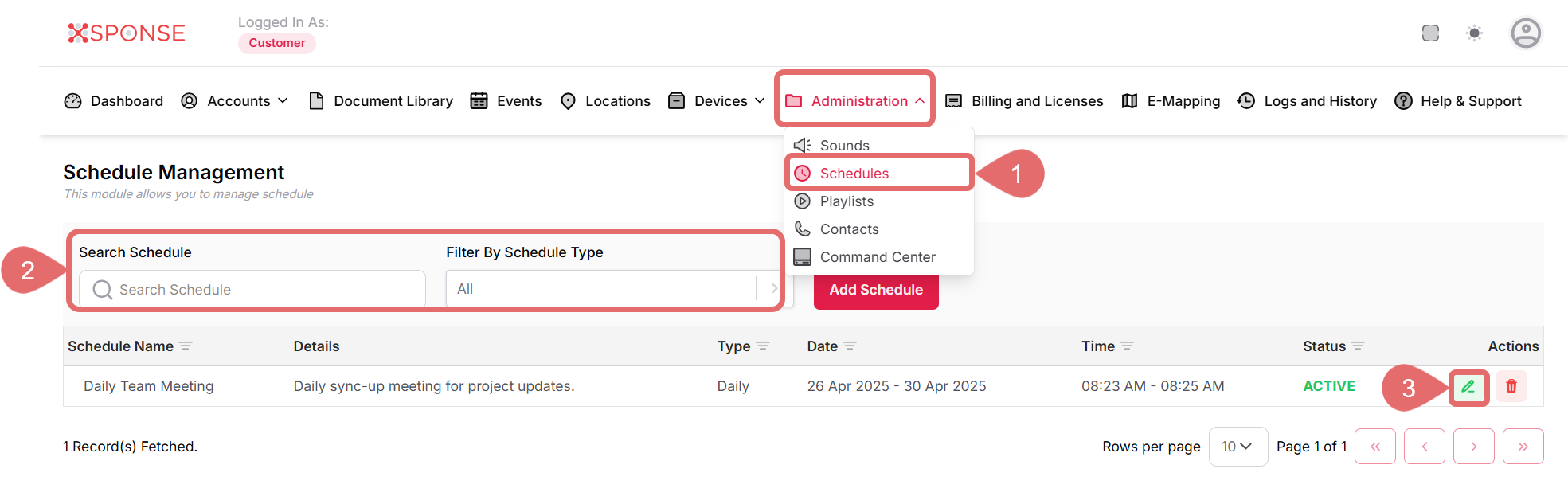
- Go to Administration > Schedules.
- Use the search bar or filters to find the sound you want to update or locate it manually in the list.
- Click the Update Schedule icon in the Actions column.
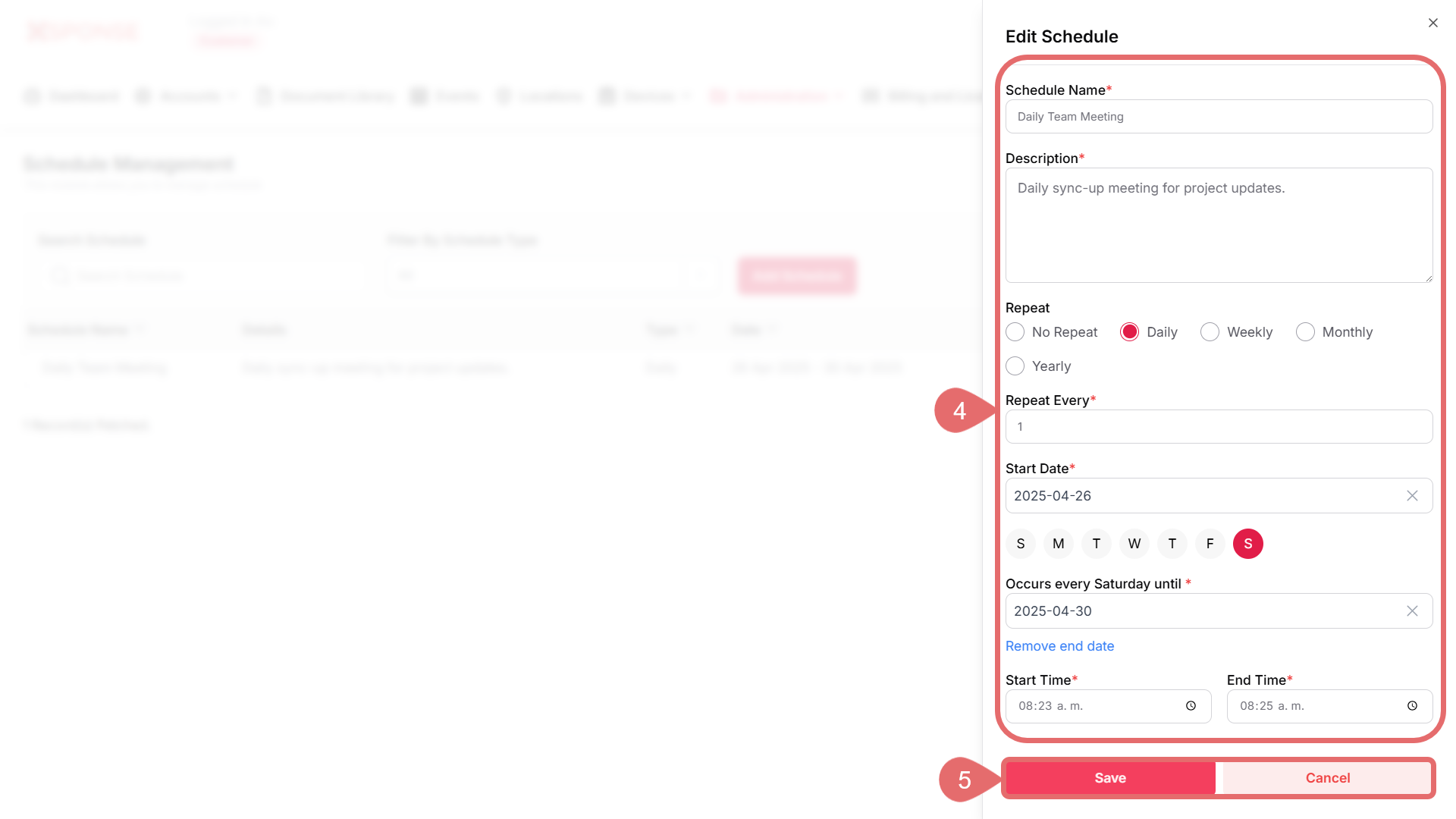
- Update the necessary fields:
- Schedule Name: Change the name as needed.
- Description: Modify the description if necessary.
- Repeat Options: Adjust the repetition settings (Daily, Weekly, Monthly).
- Start Date: Change the schedule start date if required.
- End Date: Update the schedule end date if necessary.
- Start Time & End Time: Adjust the timing as needed.
- Click Save to apply the changes or Cancel to discard changes.
See Also
To complement your knowledge of this process, check the following pages: